







I am excited to launch a new function: Interactive Map for flight reviews.
You can access the new map function here.
The map has all my flight reviews (video and written) coverage.
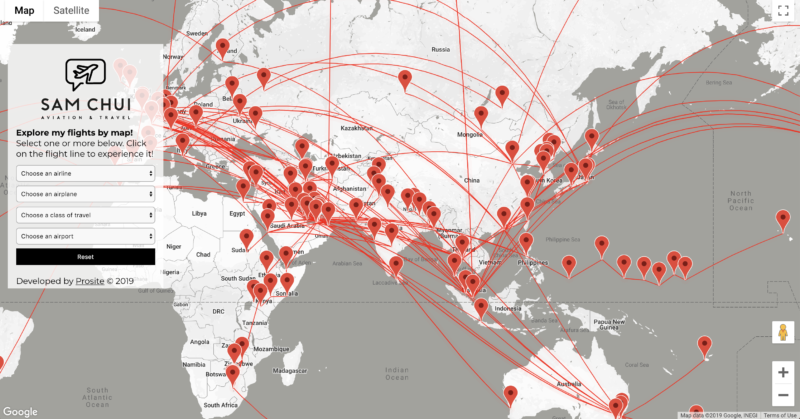
You can search the flight reviews easily by airline name, aircraft type, class of travel or airport location. (Choose one or many combinations together)
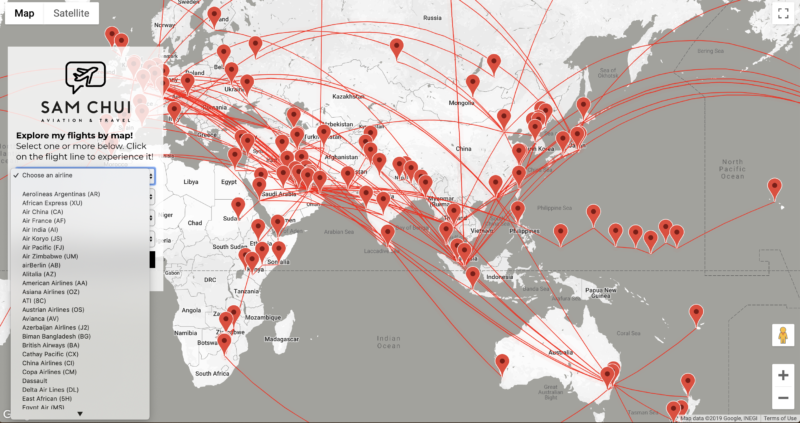
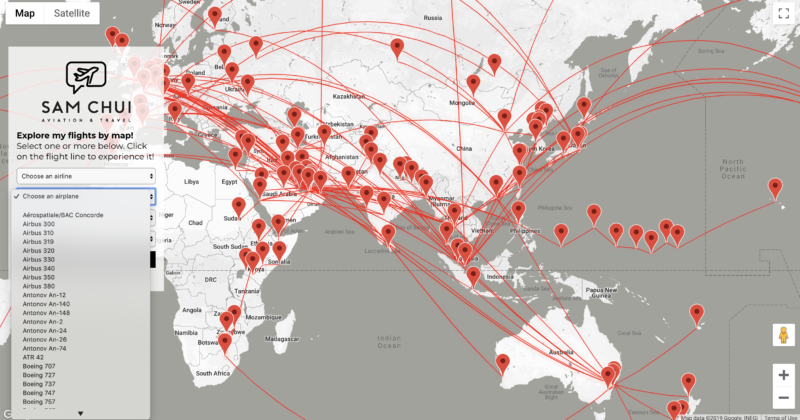
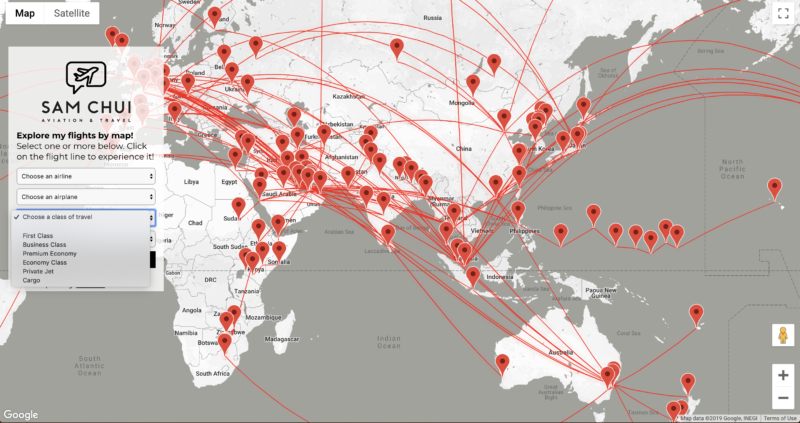
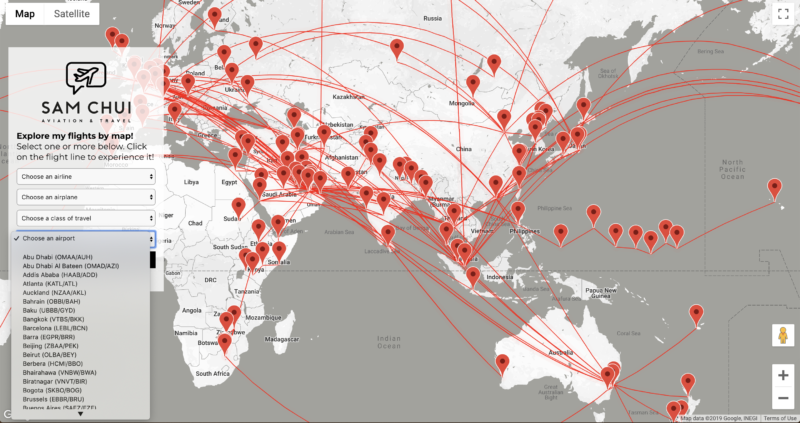
You don’t need to choose all the available options for the map to work. You can simply choose one or more. The map is interactive. Simply reset the map if you want to go back!
For example choose Singapore, then all the flight reviews to and from Singapore will pop up in the line. Click on the line to access the desired flight reviews.
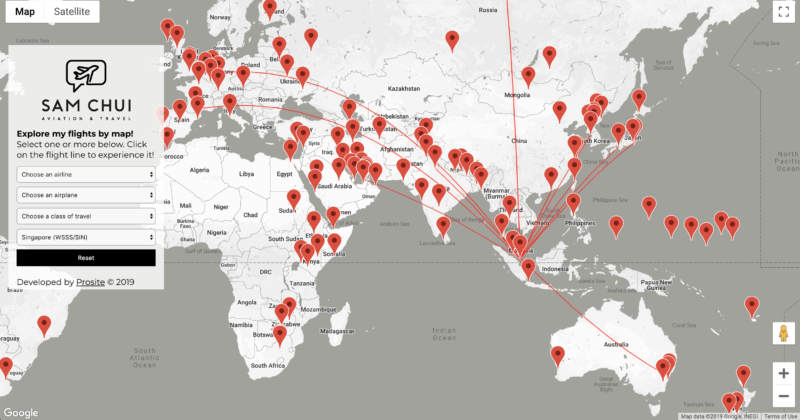
When you hover your mouse, there is also an information display box on the flight line chosen.
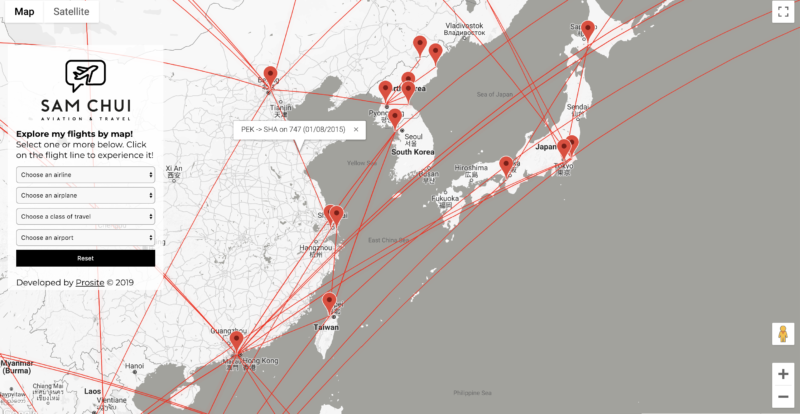
Simply click on the line, you will be taken to the desired flight review.

You can of course zoom the map into a particular region as well.
For example below is the coverage in the Middle East. Simply hover the mouse to find a desired flight!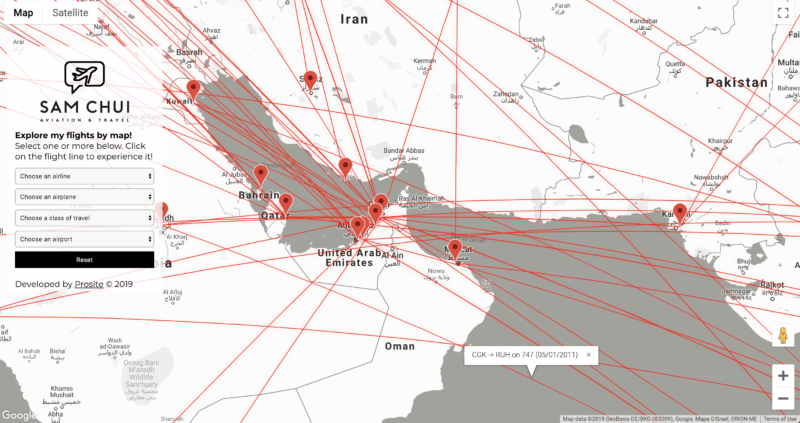
There is also satellite mode available (and a terrain mode) for display preferences.
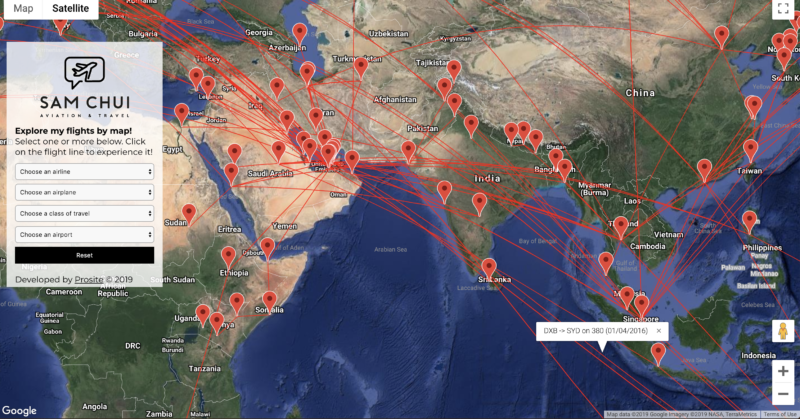
Go to the interactive map and give it a try now! There are endless options.
I will be progressively update more flight reviews on to this map.
The display is recommended to work best on desktop computer (not mobile phone)
This interactive map is developed by Prosite © 2019 . Contact them to install your own version of map!








Hey Sam,
I found that the interactive function didn’t work with Chrome (at least the version I have) but ok with Internet Explorer and that’s why I couldn’t access reports when I first used Chrome. Could it be made to work with Chrome as well?
congratulations on launching such a nice feature to follow your report and videos!
That’s strange! All my testing was don’t on Chrome. You’re the first to report this issue.
Hi,
Sam I tried to look for PIA. But I cud only find maps. How can I find your PIA flights.
Thanks
You may want to zoom the map to Pakistan and you can see red lines. Click on the lines for flight reviews.
Absolutely fantastic! A treat for a data nerd like me.
Is this something anyone can create? I’d like to see all of my own flights.
It would be nice to see the airline in the initial pop-up that shows origin, destination, date and aircraft type.
Please contact Prosite.be who made this map happened. (contact is on the map below search box)
Hi.
There is a problem of finding a red line if the trip was very short (probably?).
I selected Yak-40 and I cannot find any connection.
Try zoom the map to Ukraine. That’s where the Yak-40 flight should be.
I couldn’t make the interactive map work even following your instructions, Sam. When you click on the flight, it resets itself and you were led to nothing.
When you click on the line selected, it should open another browser to take you to the flight review.
Hey Sam! Congratulations on the new interactive flight map. It looks great. Just one thing. You have “Osana (KIX)” for Osaka (KIX).
Always great to look at your site and my thank to those working with you, too. Keep up the great work!
Thanks I will correct that!